The Washington Post published an article this past Sunday about the adequacy of Instagram’s “Teen Account” (owned by Meta), which is designed to filter out inappropriate content to teens. A high school student and a youth organization independently conducted tests to see how well it shielded teens from harmful content by default. The results were scary, in that it appeared to fail miserably. The two groups found that even with the teen account, they were shown inappropriate material that included explicit sex acts, glorification of eating disorders, promotion of alcohol/drug use, hate speech, and more.
From my perspective, this means that, as parents and concerned adults, we have a tall order to fulfill. We must continue to be proactive in having conversations with our children and striking that balance between our children’s use of portable digital devices and our oversight of such use. While each responsible adult or family has to make their own decision, monitoring a child’s Internet use is an option. The purpose of such monitoring is not to “catch them doing wrong” but to use it as a tool to have conversations and build skills toward self-protection and self-regulation when children are using their devices.
While there are many options available to parents, the first place to look is at what your family is already using in terms of the devices in your home. Through their established tech ecosystems, the big THREE tech providers, Apple, Google, and Microsoft, offer parental control solutions. Each platform provides key features to help you limit usage, approve downloads, and ensure safer Internet experiences for your children.
Apple Screen Time (https://support.apple.com/en-us/105121)
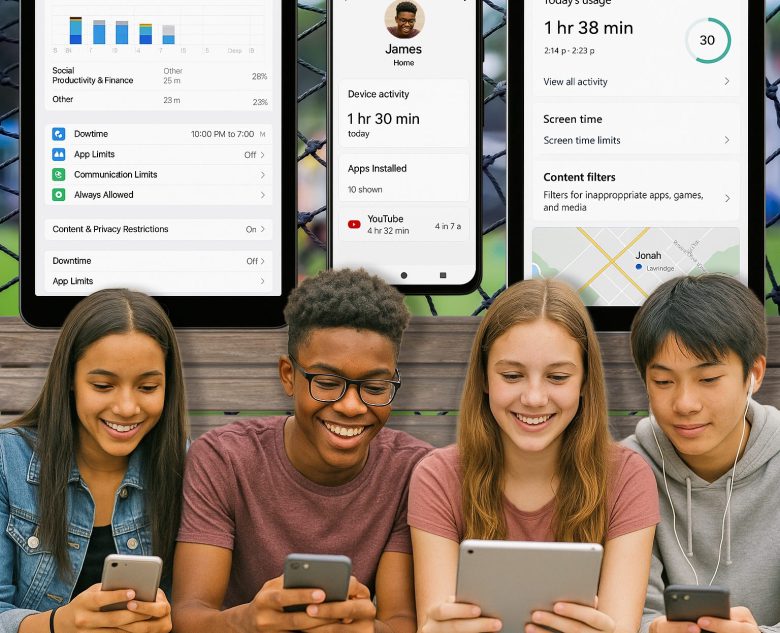
Apple’s Screen Time is integrated into iOS, iPadOS, and macOS. When configured, it gives parents detailed oversight and control over how their children use Apple devices. Once Family Sharing is enabled, parents can remotely manage their child’s device usage from their own iPhone, iPad, or Mac. It provides daily and weekly activity reports, showing how much time is spent on specific apps and websites. Parents can set app limits to restrict usage of specific categories, such as games or social media, and enforce a “Downtime” schedule to block all non-essential apps during designated hours (e.g., bedtime or homework time). Another key feature is content and privacy restrictions, which let parents filter web content, block explicit material, and manage permissions like location sharing and in-app purchases.
Google Family Link (https://families.google/familylink/)
Google Family Link is a free app available on Android and iOS that gives parents visibility into their child’s activity on Android devices and Chromebooks. After creating a Google account for the child, Family Link allows parents to set daily screen time limits, schedule device “bedtimes,” and view app activity. One standout feature of Family Link is the download management option. Parents can block or require approval for app downloads from the Google Play Store, thereby helping prevent access to inappropriate or unwanted apps. Location tracking is also built-in, enabling parents to see their child’s device location on a map. Additionally, Family Link supports web filtering when used with Google Chrome, which allows for safer browsing options.
Microsoft Family Safety (https://support.microsoft.com/en-us/family)
Microsoft’s Family Safety solution works across Windows PCs, Xbox consoles, and Android devices. After setting up a Microsoft family group, parents can monitor screen time, enforce age-appropriate content limits, and manage app downloads through the Microsoft Store. Parents can receive weekly email reports detailing how much time their child spends on different apps, websites, and devices. Screen time can be limited per device or per app, and restrictions can be synced across multiple devices. For web safety, Family Safety enforces SafeSearch and blocks adult content in Microsoft Edge. Additionally, the app offers real-time location sharing for Android users, a valuable tool for families on the go.
As you can see, each platform offers strong parental control tools tailored to its respective ecosystems. While their features vary, they all provide essential functions like screen time tracking, content filtering, and download approval. Parents can help their children create healthier digital habits and better protect them from the inherent risks of online use by leveraging these tools as part of an overall family responsible use strategy. This, paired with ongoing conversation, can give parents greater peace of mind in an increasingly connected world.

Courtesy, Karen Clay